MENU
BD | BDT

BD | BDT
-
- All Pipettes, Dispensers & Automated Liquid Handlers
- Mechanical Pipettes
- Electronic Pipettes
- Multi-Channel Pipettes
- Positive Displacement Pipettes & Dispensers
- Bottle-Top Dispensers
- Pipette Controllers
- Dispenser & Pipette Accessories
- Automated Pipetting
- Automation Consumables
- Automation Accessories
- Liquid Handler & Pipette Services
Sorry, we couldn't find anything on our website containing your search term.
You are about to leave this site.
Please be aware that your current cart is not saved yet and cannot be restored on the new site nor when you come back. If you want to save your cart please login in into your account.
Sorry, we couldn't find anything on our website containing your search term.
Website User Guide - Quotations & Promotions

Receive quotation
Redeem Quotation
Redeem promotional code
1. Receive a Quotation
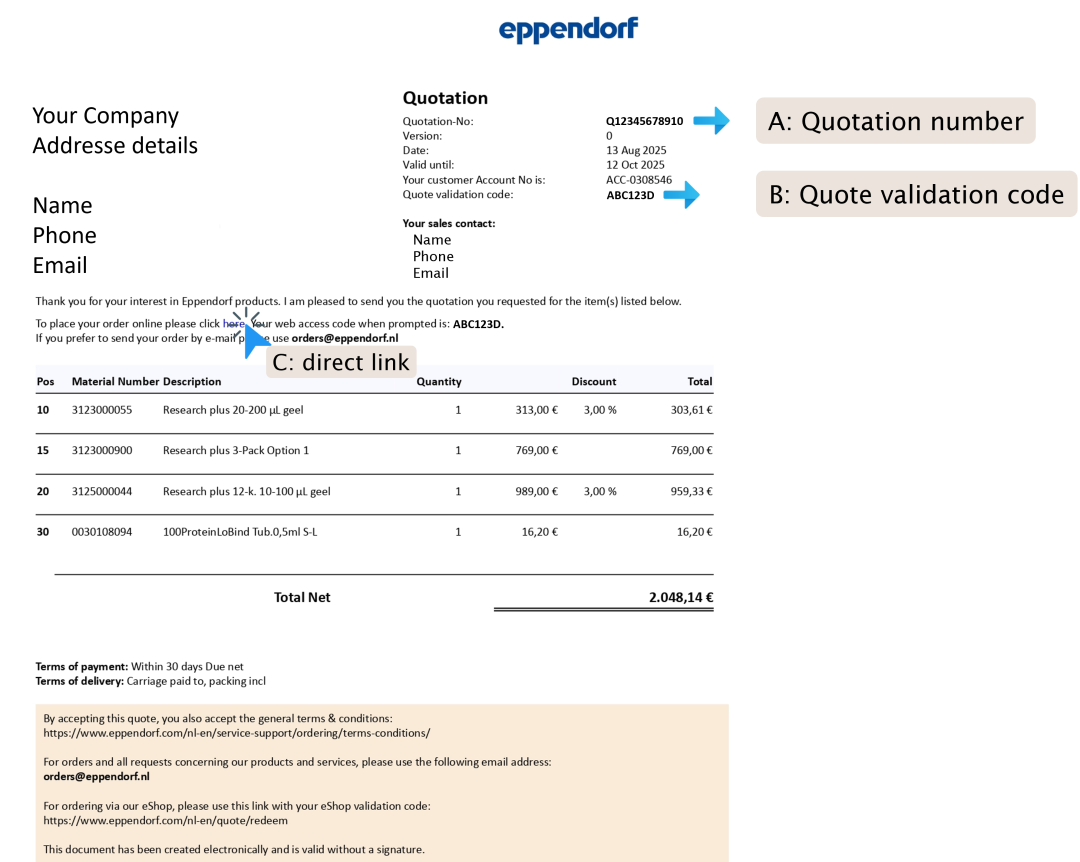
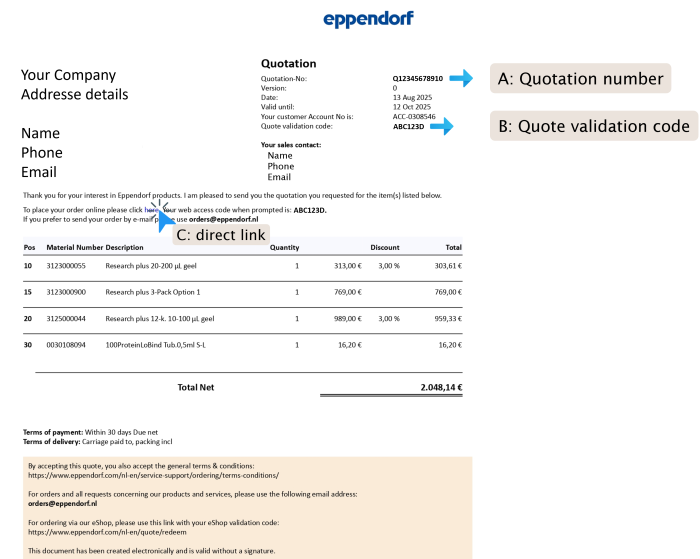
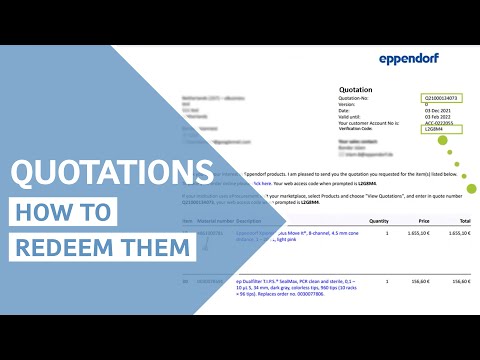
1. You have received a quotation as a PDF from Eppendorf
2. To redeem the quotation online you need:
AND
OR
2. To redeem the quotation online you need:
- The “Quotation Number“
AND
- The “Quote validation code“
OR
- Click the link provided
Read more
2. How to Apply a Quotation
1. Log in to your account
2. Click the quote icon in the top menu
3. You will see a list of all your redeemend quotes and you can redeem new quotes
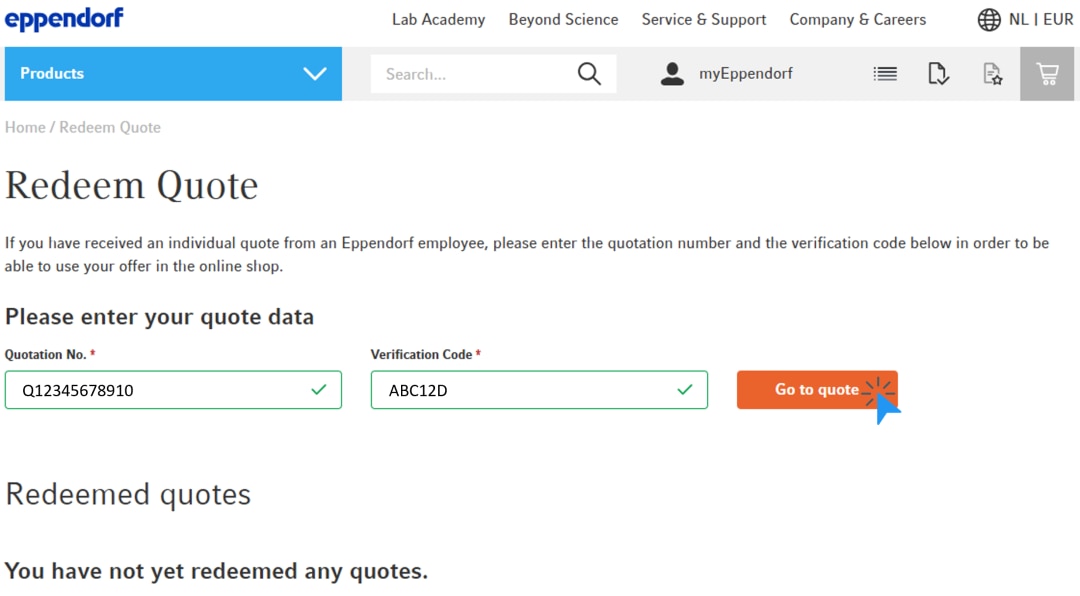
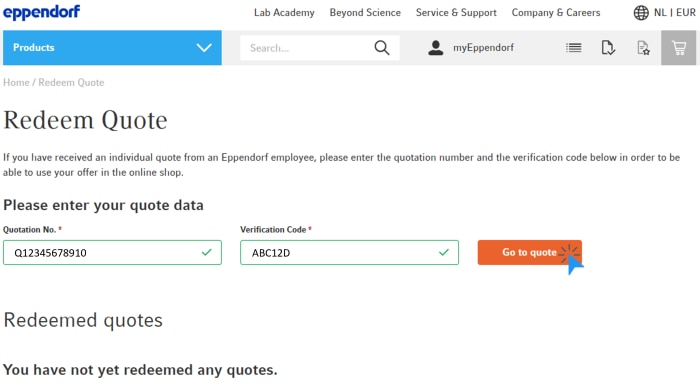
4. Enter your “Quotation Number“ and “Verification Code“ in the provided fields and click “Go to quote“
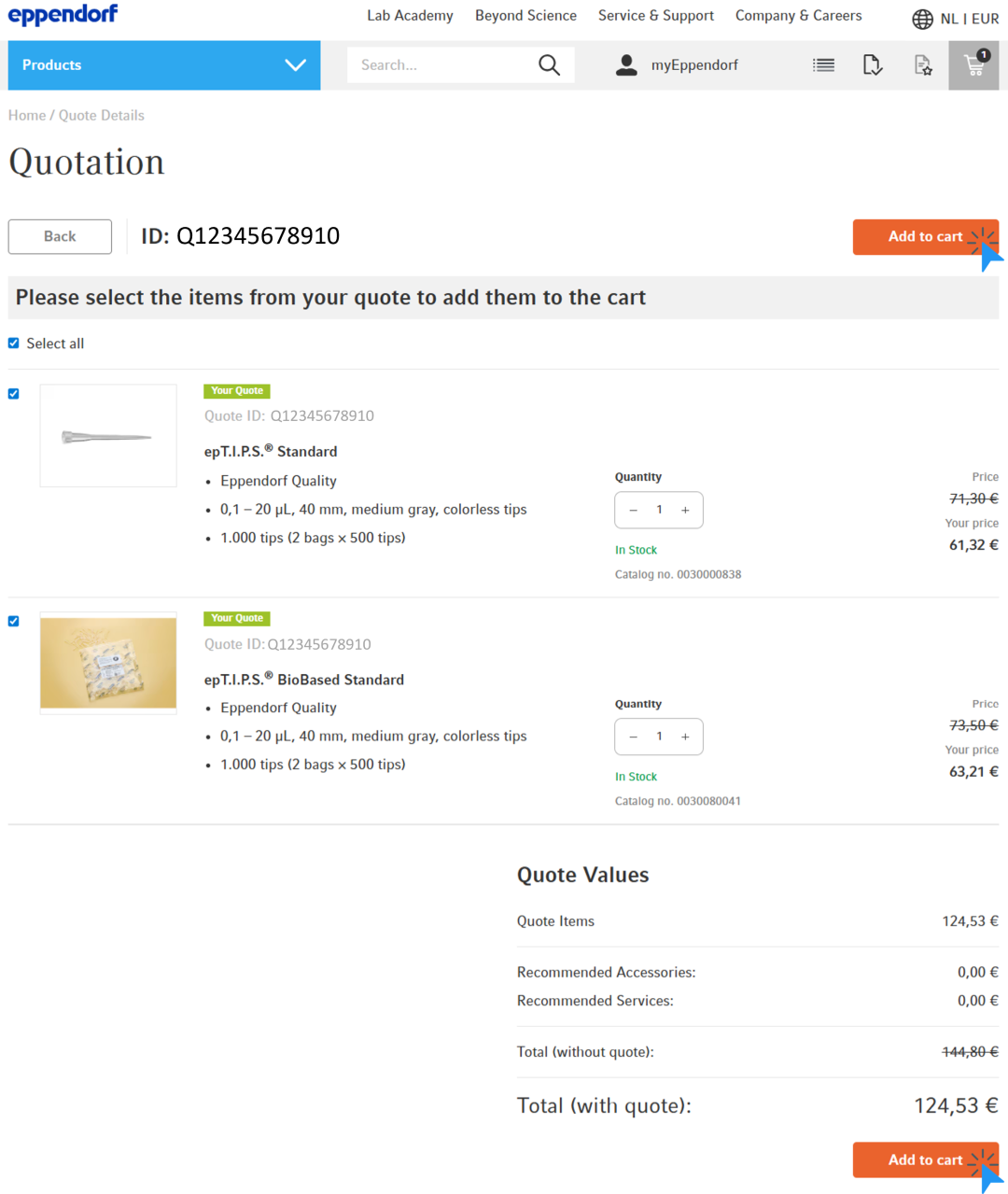
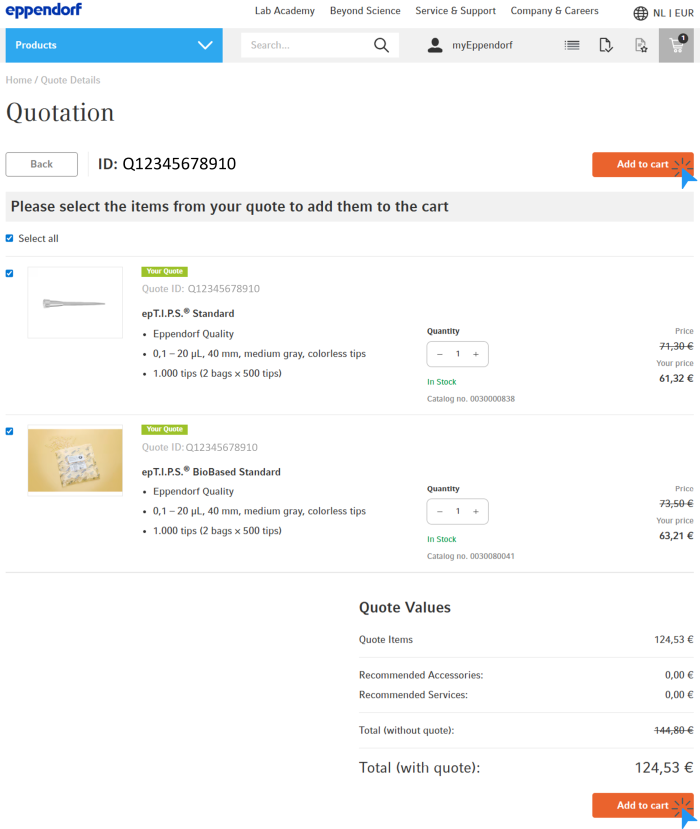
5. You will see an overview of the quotation with all details. Select the article(s) and click “Add to cart“ to add them to your cart
2. Click the quote icon in the top menu
3. You will see a list of all your redeemend quotes and you can redeem new quotes
4. Enter your “Quotation Number“ and “Verification Code“ in the provided fields and click “Go to quote“
5. You will see an overview of the quotation with all details. Select the article(s) and click “Add to cart“ to add them to your cart
Read more


Videos not loading, because cookies have been rejected. Change your
3. How to Apply a Promotion Code
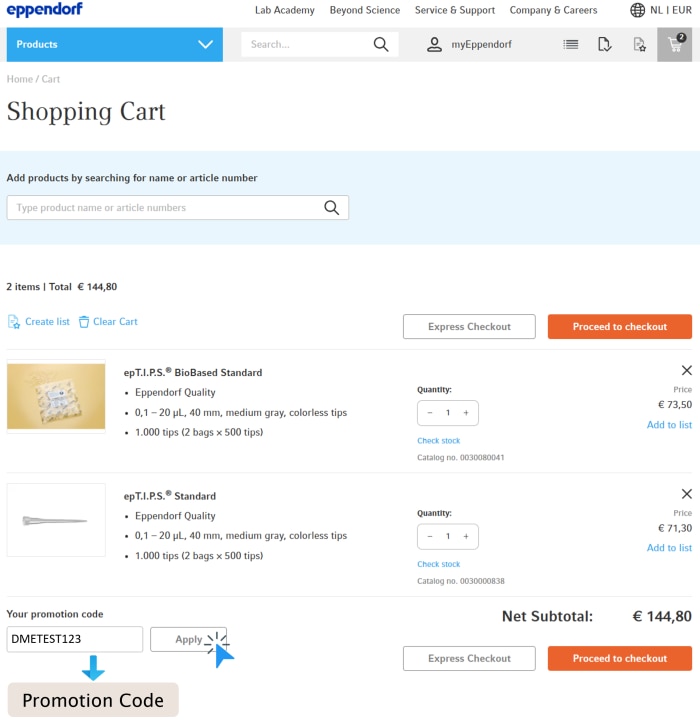
1. Add relevant items to your shopping cart
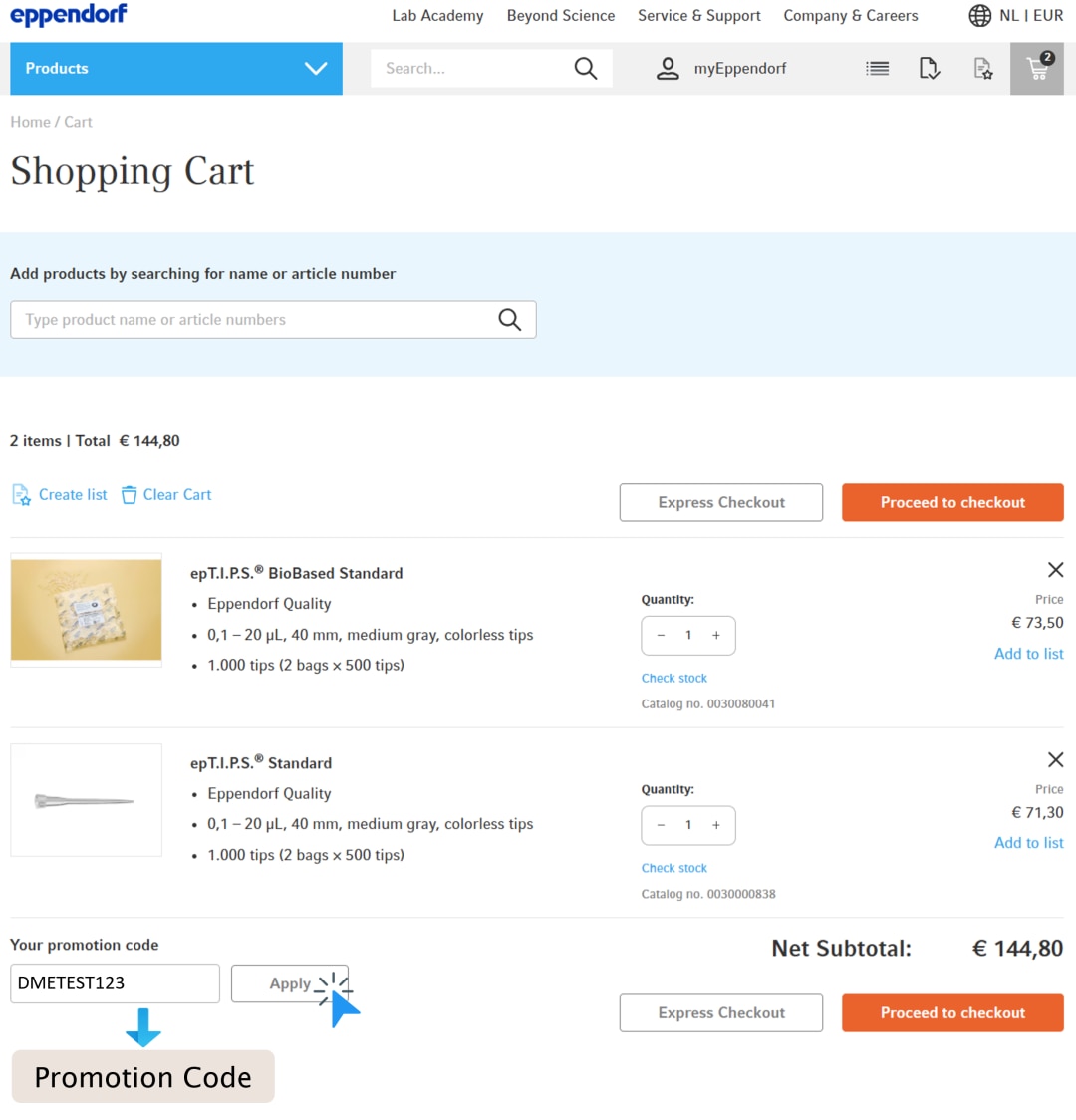
2. Enter the promotion code in the provided field in the shopping cart
3. Click at “Apply“ to redeem the code
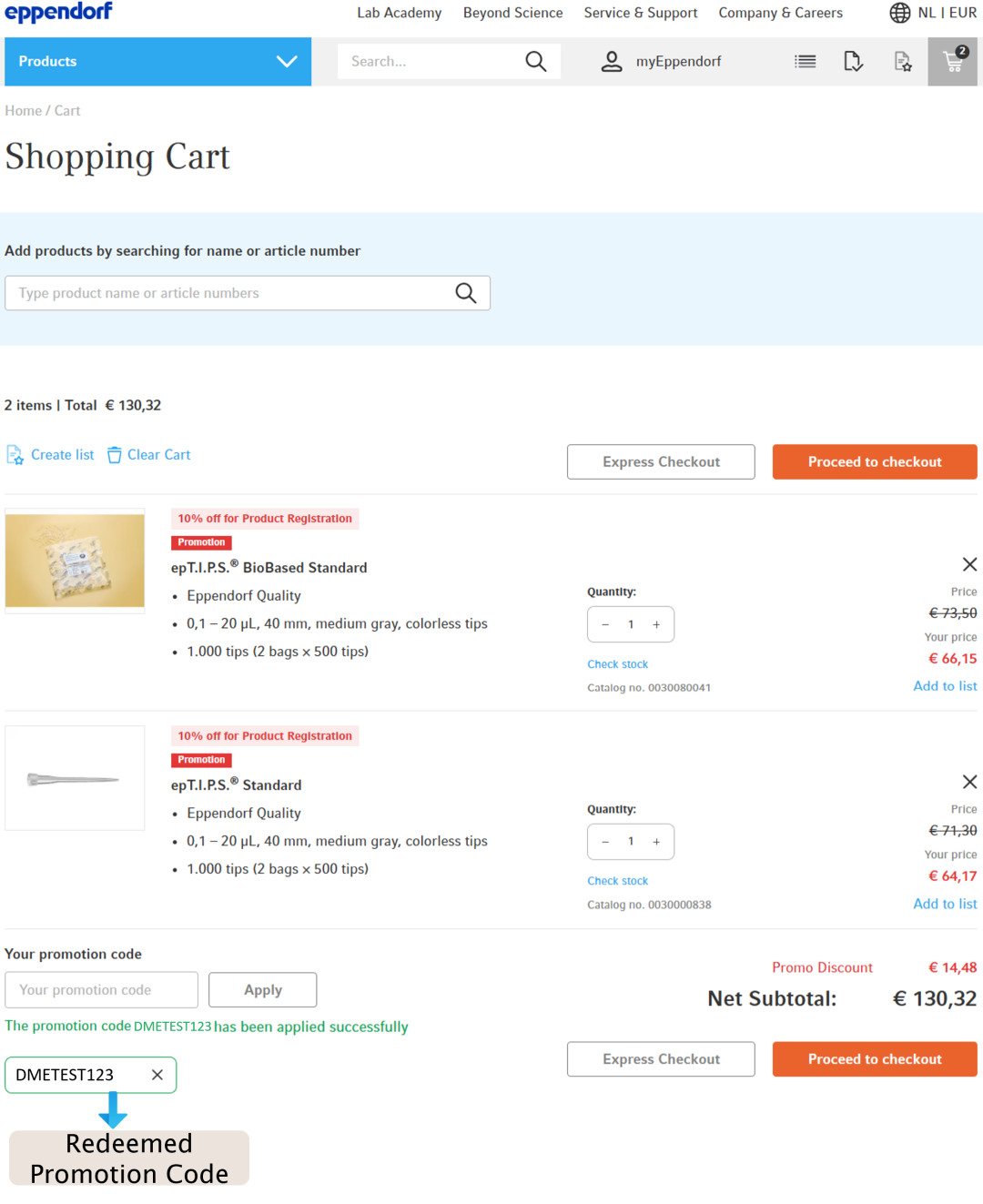
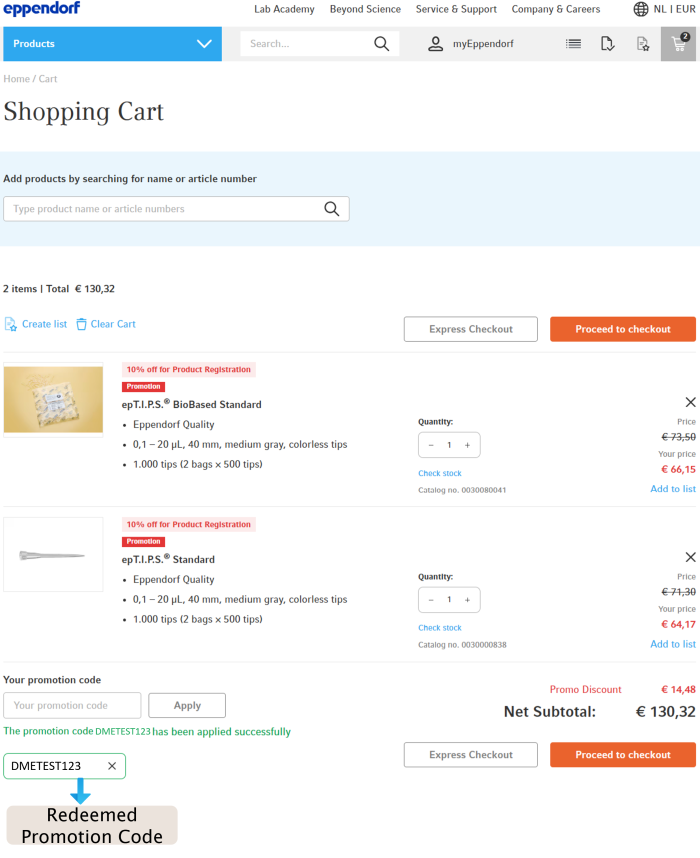
4. The promotional discount will be reflected in your cart
2. Enter the promotion code in the provided field in the shopping cart
3. Click at “Apply“ to redeem the code
4. The promotional discount will be reflected in your cart
Read more
OUR TIP:
You can find all ongoing promotions on our promotion page
You can find all ongoing promotions on our promotion page
Read more
PLEASE NOTE:
Promotion codes cannot be combined with quotations, unless it is a free shipping code to be used with an individual pricing quote only.
End users are responsible for redeeming any promotion code(s) received, and for ensuring their checkout price reflects the expected promotional discount. Any order placed is considered final, and all payment responsibility resides with the end user. Promotion codes cannot be applied to orders in progress, or shipped.
Promotion codes cannot be combined with quotations, unless it is a free shipping code to be used with an individual pricing quote only.
End users are responsible for redeeming any promotion code(s) received, and for ensuring their checkout price reflects the expected promotional discount. Any order placed is considered final, and all payment responsibility resides with the end user. Promotion codes cannot be applied to orders in progress, or shipped.
Read more
Videos not loading, because cookies have been rejected. Change your



*Feature may not be available in all countries
Read more